
A due diligence audit trail answers two different questions, and a platform can supply one without the other. One record is custody: which account touched which file, and when, in a form you can export and hand to counsel. The other is an analytical trace: each finding linked back to its source. Neither record audits the business behind the documents. Our published AI due diligence article explains tool categories and finding traceability, and the board and checklist articles cover preparation. None of them addresses access logging, retention or dispute-grade records, which is the gap this article fills.
I Need to Prove Exactly Who Accessed Which Documents and When—What Reporting and Audit Logs Should a Dealflow Platform Provide?
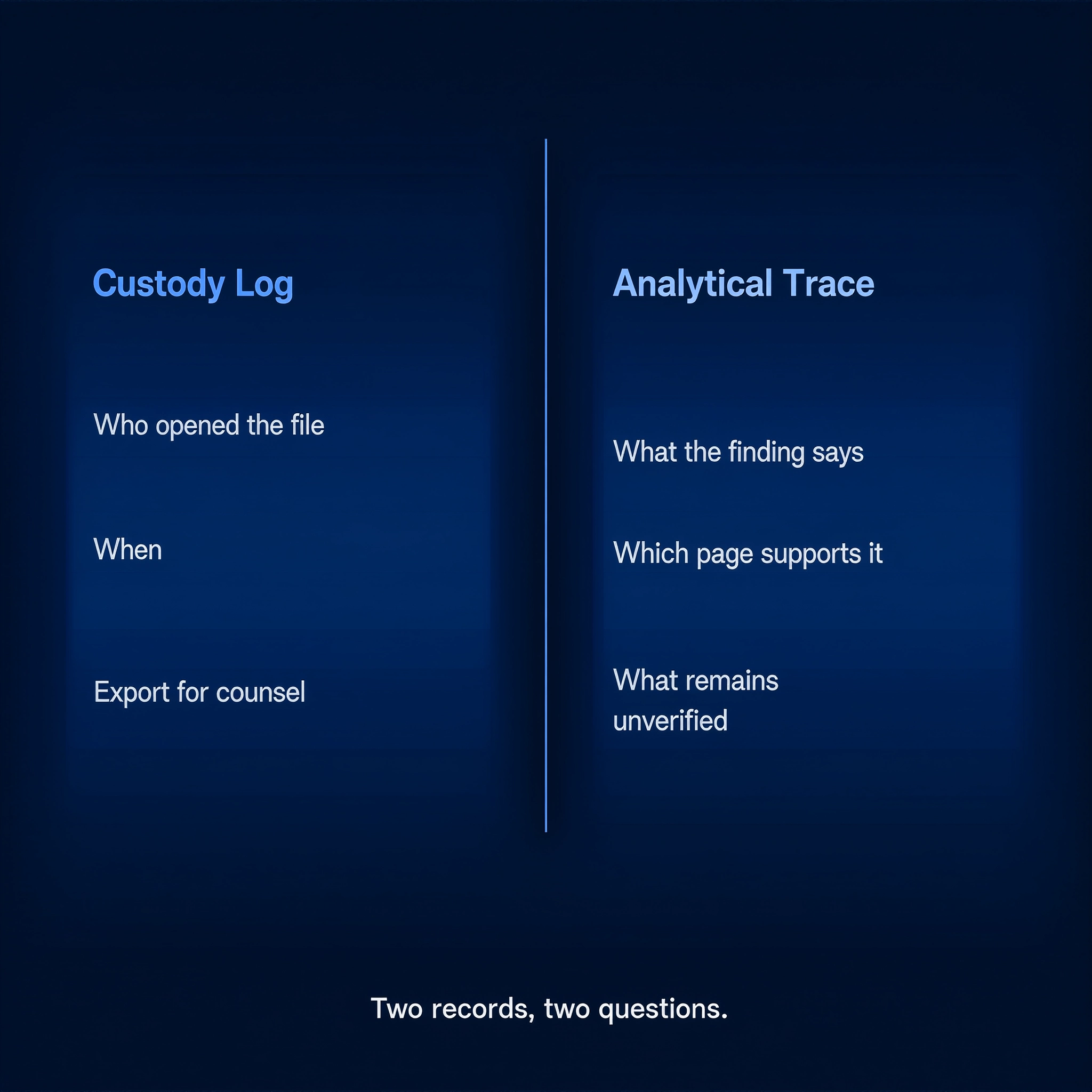
Ask for two separate records, and do not confuse them. The first is a custody log: which user opened, downloaded, printed or shared which file, with timestamps and an export you can hand to counsel. The second is an analytical trace: each finding linked back to its source page. A platform can have one without the other, and neither is an audit of the business behind the documents.
Each custody entry needs the identity behind the action, the action itself, the file identifier and version, a server-side timestamp, the result including failures, and enough context, such as the source IP address or device, to remain understandable months later. The event classes worth asking for are login and logout, file open, download, print, share-link creation, permission change, Q&A message, redaction action, export and deletion; the next section takes them one at a time. On the reporting side, the platform should let you filter by user, by file and by date, and export the result with the fields intact rather than as a screenshot.
Two vendor-authored pages frame the current buying conversation. Hebbia's roundup of AI due diligence solutions lists auditability as a selection factor and tells buyers to confirm that every output traces back to a source document, so the origin of a finding can be shown. WorkWise Solutions' guide lists the security features to require in writing: zero-retention architecture, SOC 2 Type II, encryption at rest and in transit, role-based access controls, and audit logs. Both are vendor marketing pages describing their own products and checklists, so read them as a list of questions to put to a vendor rather than as independent tests of any platform's logging. No independent test of any platform's logging is supplied here.
What Events Should an Access Log Record, and What Does Each Event Prove?
Document access logs should record the events that move custody of a file, not only the events that change its content. An access log is a record of every request made to a resource: who asked, what they asked for, when, and how the system answered. A denied or failed attempt belongs in the record alongside successful ones, because it shows that an account tried to reach a resource and how the system answered. It does not show why the attempt was made.
What an event proves depends on how the platform defines it. A file-open entry may mean a request was served, or it may mean the document finished rendering; those are different claims, and neither one establishes that a particular person read the file. The table below is a set of proposed fields with conditional interpretations: in the second column, "proves" means what the entry can support if the platform defines the event as stated and the record is intact. Verify each definition in the demonstration rather than in the sales description. The owner column names a role in your own process that should carry the question; it is not a description of how any platform assigns roles.
<table><thead><tr><th>Event or record</th><th>What it proves</th><th>What it does not prove</th><th>Retention question</th><th>Owner</th></tr></thead><tbody><tr><td>Login</td><td>That an identity authenticated at a stated time, under the platform's definition of the event</td><td>Which files that identity opened</td><td>Is the login record kept for the same period as file events?</td><td>Security administrator</td></tr><tr><td>Logout</td><td>That a session ended at a stated time</td><td>That the person stopped reading then, or that no other session stayed open</td><td>Are session start and end retained together?</td><td>Security administrator</td></tr><tr><td>File open</td><td>That an account requested a named file version and the platform logged a response to that request</td><td>That a person read the file, which pages were seen, or that anything was understood. A completed render would still identify only an account and a response, not a human reader.</td><td>Is the event kept at file level or only at folder level?</td><td>Data room administrator</td></tr><tr><td>Download</td><td>That a download request was accepted under a named account</td><td>What happened to the copy afterward</td><td>Does the record survive the file it describes?</td><td>Data room administrator</td></tr><tr><td>Print</td><td>That a print request was logged for a named account and file</td><td>That a physical copy was produced, or what was done with it</td><td>Is print captured at all, and for which file types?</td><td>Data room administrator</td></tr><tr><td>Share-link creation</td><td>That a link was created with stated permissions and expiration</td><td>Who opened it, and who received it unless the platform records a named recipient</td><td>Are expired links still listed with their original permissions?</td><td>Deal lead</td></tr><tr><td>Permission change</td><td>That an account changed an access rule at a stated time</td><td>That the change was authorized internally, or that it was the last change</td><td>Is the prior state of the permission recorded?</td><td>Data room administrator</td></tr><tr><td>Q&A message</td><td>Author, recipient, timestamp and thread position of each question and answer</td><td>The accuracy of the answer</td><td>Is the thread exported with the deal record?</td><td>Counsel or deal lead</td></tr><tr><td>Redaction action</td><td>That a region was hidden, by whom and when</td><td>That every derived copy was redacted, or what the prior state contained unless it is preserved</td><td>Is the pre-redaction state preserved under access control?</td><td>Seller's counsel</td></tr><tr><td>Export</td><td>That an export was initiated under a named account</td><td>Completed delivery to a destination, or later handling</td><td>Is the export itself logged as an event?</td><td>Administrator</td></tr><tr><td>Deletion</td><td>That a record or file was removed at a stated time by a stated account</td><td>That no offline copy survives</td><td>Is the deletion event retained after the content is gone?</td><td>Administrator and records policy holder</td></tr></tbody></table>
Three rows deserve a second look. A logout entry marks a session boundary, not the end of anyone's reading. A print entry marks a request, not a produced page. A permission change marks an edit to a rule, not the authorization behind it. Read the two middle columns together: the second column is what the record can support if the platform defines the event as stated, and the third is the inference that is easy to draw and that the record does not carry on its own.
How Long Should Logs Be Retained, and Who Can Export Them?
There is no single defensible number. One retention guideline, from Optro's audit-trail explainer, recommends setting the period to the longest applicable regulatory minimum and then extending it for litigation hold and business need. That is one vendor-authored page's recommendation, not a universal standard: the applicable minimum changes with jurisdiction, sector and the contracts you have signed, and evidentiary weight varies by jurisdiction and by how the log was configured. Specific regimes set specific periods for specific records. The U.S. Securities and Exchange Commission's 2003 rule on audit and review records requires accounting firms to retain the required documents for seven years from the conclusion of the audit or review, which says nothing about a deal room. Put your period in the contract rather than in a sales deck.
A litigation hold is one reason a period gets extended. Optro's page names litigation hold as one of the extensions to apply beyond the regulatory minimum. Everlaw's guide describes a litigation hold as a written instruction to custodians to preserve potentially relevant information for anticipated litigation or an investigation, audit, regulatory matter or other legal matter; the notice suspends routine document retention and destruction, which can typically resume only after all related matters have concluded. Both are vendor-authored pages. Three practical tests follow. First, ask for the retention period in writing, per event class, and ask what happens to older entries: archived, aggregated or deleted. Second, ask who can export, in what format, and how quickly. A log you can view but not export is a log you cannot hand to counsel after the process closes. Third, ask what happens at closing. Data room guidance collected by datarooms.org notes that many sellers lose access to the room after the deal and then cannot produce records when a dispute arises later, which is why that guidance recommends exporting at closing as standard practice.
Tamper evidence is part of retention. The same glossary describes a tamper-evident trail as one where administrators cannot edit or delete entries and the log itself is cryptographically protected. That is design guidance from a vendor-authored glossary, describing a property a record can have. It is not a statement about what any tribunal will accept: authentication method, configuration and chain of custody all matter, and the interpretation belongs with counsel. The practical point still holds. If an administrator can quietly remove an entry, the retention period on paper says little about what will exist when you need it.
What Is the Difference Between an Access Log, Source-Linked Findings, and Report Retention?
An access log answers which account touched a file. A source citation answers why a statement is made. Report retention answers how long the analysis itself survives. In the workflow this article proposes, these are three separate records that can sit in different systems with different owners. That is a proposed division for your process, not a description of how every platform behaves: some products combine two of them, and it is worth confirming which ones yours does before the process starts.
An audit log is the raw list of system events. An audit trail is the connected story built from those logs, record revisions, and signatures, so a reviewer can follow one transaction end to end. The analytical trace works the same way in reverse: it starts from a finding and runs back to the page that supports it. An access log entry showing that an account opened a file supports a custody inquiry. A source citation showing the page behind a figure supports a challenge to the analysis. The entry proves the presence of a request, not comprehension, and the citation proves provenance, not access.
Report retention is the third axis. A report kept after the materials are deleted preserves the reasoning; it does not preserve the access history. A data room that keeps access history but deletes analysis preserves custody without preserving the argument. Decide which of the two you need to produce, then confirm that both are covered by a written retention period.
How Can a Due Diligence Tool Help Track Who Viewed Which Documents and Produce an Audit Trail That Holds Up in a Dispute?
Short answer: the record of which account accessed a document, and when, is produced by the system that serves the document, which in this article's proposed workflow is the data room or dealflow platform. The question uses the word "viewed," and that is the word to handle carefully. An access record shows an account event at a stated time; it does not show a person reading the page. An analysis tool contributes something different: findings with confidence and evidence limits stated, so a challenge to a conclusion can be answered with the material behind it. Whether a given product also links each finding to a specific source page is a per-product question; Hebbia's roundup lists that traceability as a selection factor for the category. Whether an access record holds up in a dispute depends on how it was configured, exported, retained and authenticated, and on the jurisdiction, not on which category of tool produced it.
DDScore is explicit about its own retention boundary. Its register description states that uploaded source files are deleted immediately upon completion of report generation, and that generated reports are deleted within 24 hours of generation, subject to limited exceptions. Its published privacy policy gives one of those exceptions: where a share link is activated, the report is retained while the link is active and is deleted within 24 hours of the link's deletion. Its data processing addendum states that materials attached to a support request are retained for up to 14 days from submission. Those rules govern the documents and the report. They do not establish whether a separate record of who accessed those documents exists, or how long such a record would survive, and this article does not treat them as establishing that. That open question is part of why this article's proposed workflow places custody logs in the data room or dealflow platform rather than in the analysis tool. A DDScore report carries strengths, risks, evidence limitations and confidence across twelve dimensions as supporting analytical material, not an audit or an assurance certificate. See an example report for what the report itself contains.
The practical split in this article's proposed workflow is therefore: the data room records which account accessed which file and when, the analysis tool reports strengths, risks, evidence limitations and confidence behind its findings, and your own records policy states how long each is meant to survive. A records policy specifies intended retention; it does not by itself prove that anything survived. Confirm all three before the process starts, because a record that was never captured cannot be produced later.
Which Permissions Matter When Several Parties Share One Process?
Permissions decide what the log can ever show. If two bidder groups share one room, the record needs to distinguish group membership at the time of each action, not only the account name. Kiteworks' guide to AI governance audit evidence reports that individual user attribution is the most commonly missing element in AI audit logs. That finding is about AI systems specifically. Extending the same concern to a data room is this article's reasoning, and the failure mode is the one worth checking: a record written against a service account or a shared login identifies a credential rather than a person.
Five permission questions decide whether the record is usable. Can a user see only their own activity, or the activity of their group? Can an administrator see everything, and is that visibility itself logged? Can an administrator alter or delete log entries, including their own? Do sub-processors, support staff or integration accounts appear as themselves in the record? And what happens to a user's access and their historical entries when that person leaves the company?
Role-based access controls appear on the WorkWise checklist, and they matter here for a concrete reason: the permission model determines which identity lands in each entry. Data residency is a separate question about where the record sits. Whether a given authority could obtain it later depends on law and circumstance, and is a matter for counsel rather than a property of the log.
What Questions Should We Put to a Vendor Before Signing?
Dealflow platform reporting should be evaluated as evidence, not as a dashboard. Put these six questions to the vendor and require the answers in the contract or the security schedule: What is the retention period for each event class, and what happens to entries older than that period? In what format can we export the full log, and how quickly can we produce it? Is the log tamper-evident, and can any administrator alter or delete an entry? Which roles inside our organization can see the full log, and is that visibility logged? Which sub-processors can reach the log or the underlying documents, and under what terms? What happens to a departing employee's access, and do their historical entries remain attributable to them?
Then ask for a demonstration rather than a description. Run a test account through an open, a download, a denied attempt and a share-link creation, and ask to see the exported record of those four events. Check whether the export names the account, stamps the time, identifies the file version and records the outcome, and check what the file-open entry actually means in that platform. A vendor unwilling to show the export is telling you something about the export.
Keep the certification questions separate from the logging questions. SOC 2 Type II, encryption at rest and in transit, and data residency describe controls around the system. They do not tell you which events are captured, how long they are kept, or whether you can get them out.

What Can No Log Establish About the Company?
No access log establishes that the documents are true. It records that an account requested a file at a time; it does not verify the file's contents, the completeness of the room, or whether a material document was withheld before the log began.
No log establishes intent. A download is a download. Whether it signals leakage, routine work or a backup is a human inference that the record supports but does not settle.
No log establishes the quality of the analysis. Source-linked findings show what a conclusion rests on; they do not prove the underlying claim, and they are not an audit, an assurance certificate or a credit rating.
No log settles the legal question. Evidentiary weight varies by jurisdiction and configuration. Authentication method and chain of custody both matter, and the interpretation of a record in a dispute belongs with counsel. This article is a buying and preparation aid, not a legal opinion.
What a log does establish is narrower and still valuable: a sequence of attributable events, produced on demand, that a human can test against the rest of the record. Build the process so that sequence exists, is exportable, and is retained for as long as the contracts and the dispute window require. When you want the analytical side of the same discipline, DDScore structures strengths, risks, evidence gaps and confidence across twelve dimensions in a report you can read and challenge.
Sources
- The Top 10 AI Solutions for Due Diligence [2026]
- Best AI Tools for Private Equity Due Diligence in 2026
- What is an audit trail? Everything you need to know
- Audit Trail in a Virtual Data Room: How It Works
- What Is an Audit Trail? What Signed Records Must Prove
- AI Governance Documentation: Essential Audit Evidence Guide
- What Are Access Logs? Formats, Fields, and Sources
- Understanding Audit Trails: Uses and Best Practices
- Retention of Records Relevant to Audits and Reviews
- Lifting a Litigation Hold: A Guide for Legal, IT, and Records Coordination
Explore DDScore for Founders · Explore DDScore for Investors